TIMELINE
2025(Jul-Present)
ROLE
Lead Product Design
DISCIPLINE
Design Systems
Heuristic Evaluation
Developer Handoff
UI Design
Style Guide
UX Audit
Pattern library
TOOLS
Figma
Storybook
Next.js
Visual Studio
Figma Dev
GitHub
Asana
Optimal Workshop
Table of Contents
1
The Problem with Patching
2
Proposing a Systematic Shift
3
Research & Strategy
4
Designing with Structure
5
Prototyping & Testing
6
Impact and What’s Next

When I joined Remofirst, I inherited a decade-old internal management platform. The interface was a "patchwork" of inconsistent styles, inaccessible components, and fragmented codebases.

This wasn’t a redesign problem.
It was an operational risk problem.
What needed to change: The system had to stop thinking like a database and start behaving like a conversation builder.
The challenge
How might we reduce configuration risk in a live VoIP system without slowing product delivery?
The platform hadn’t evolved in nearly a decade.
Inconsistent components across modules
Backend language exposed to users
Unsafe destructive actions
High-touch onboarding and support dependency
THE HIGH-LEVEL GOALS THAT DEFINED MY DESIGNS
Improve accessibility and reduce QA friction
Create consistency across components and screens
Solution
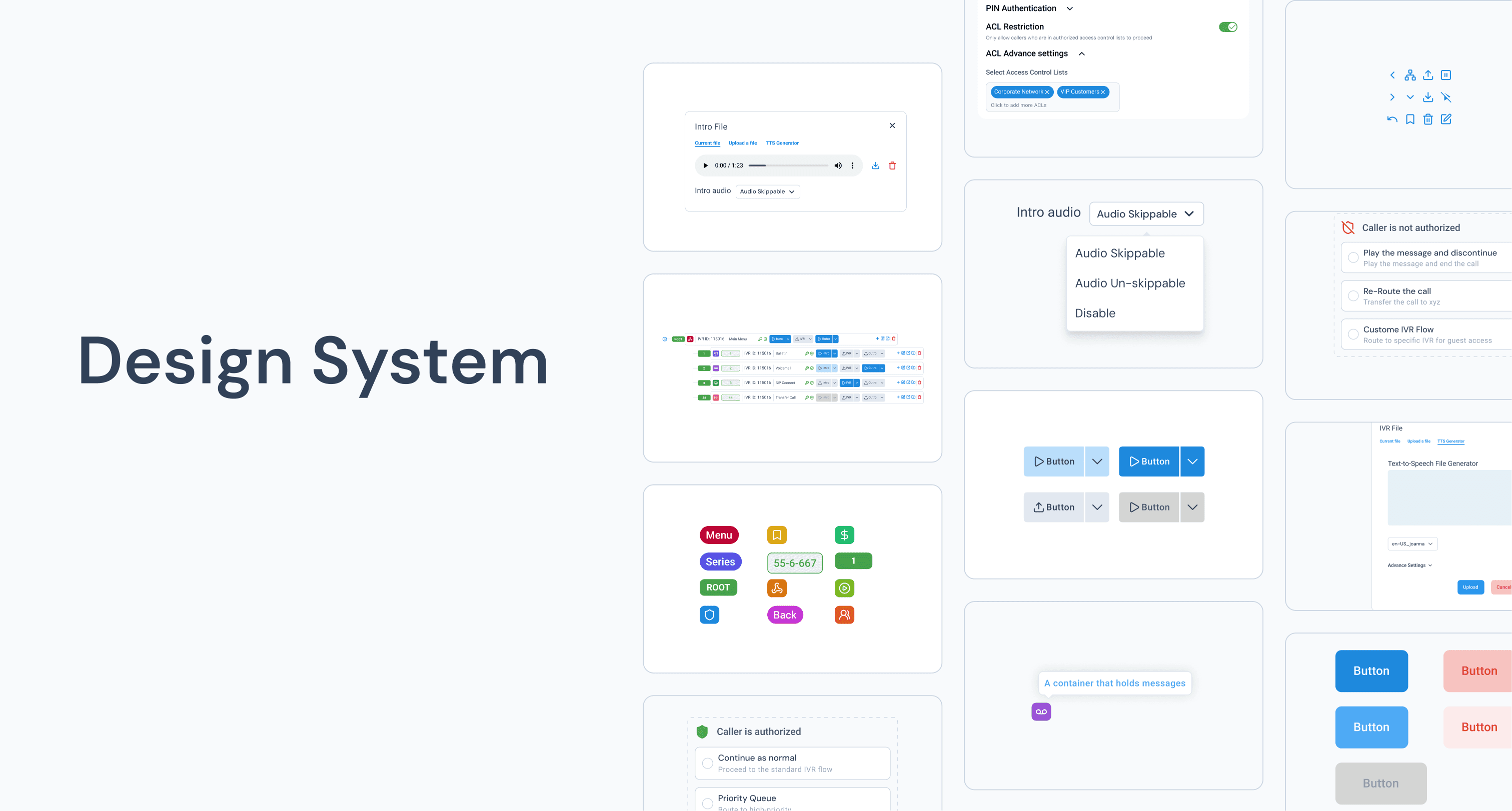
Build a scalable design system that could serve today’s team and grow with tomorrow’s.
What we want | A scalable design system to unify UI, improve usability, and reduce dev churn. |
How we’ll get there | Seed behavior with shared tokens, components, and interaction patterns. |
Why this works | It resolves legacy inconsistencies and lets teams speak a shared language. |
When we deliver | IVR,Scheduler Q3, DTMF Q4, Conference & File Manager in Q1–Q2 2026. |
How we’ll know | Measurable gains in task success, dev velocity, and reduced QA churn. |

Find shared language to co-create.
I spent significant time working with developers, founders, and QA teams to bridge the gap between behavior and implementation. Where they brought technical intuition, I brought system thinking and usability principles. We communicated through diagrams of flows, entities, and outcomes.
For every collaborator, there is a shared language; find it and find a key.

User Research
There wasn’t a playbook, so I built one by learning, testing, and listening.
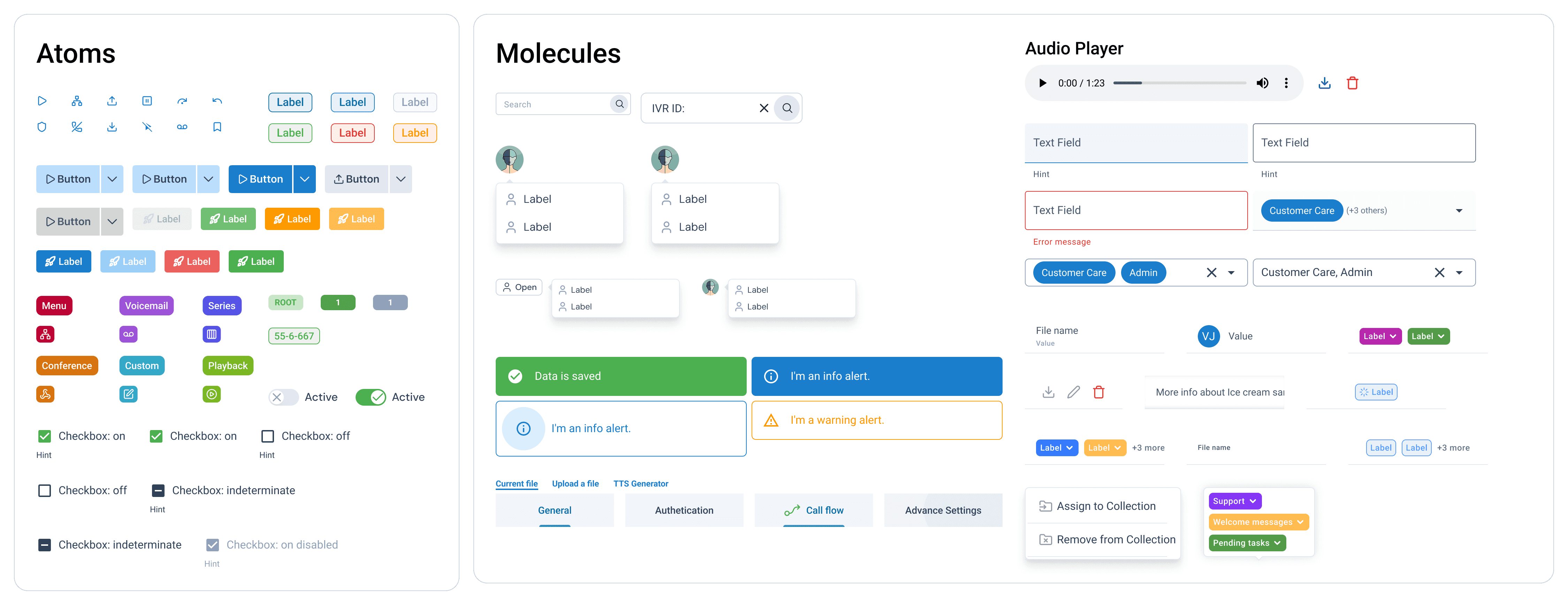
I wish I was born with the ability to create design systems. When I started, I had no idea how to organize all my components. Luckily many great companies like Shopify, Apple, and Google’s design systems are public for me to learn from. However, these design systems were huge and served more as an inspiration rather than a guide. What really helped me level up was incorporating Atomic Design principles.
I audited the existing portal, reviewed the legacy codebase, and conducted a heuristic evaluation to flag key UX issues.
Heuristic Evaluation
Stakeholder & Client Interviews
UX/UI Pattern Analysis
Design and Code Audits
Atomic Design Principles
Usability Testing
Collaborating with developers helped refine
Component naming conventions
Token structure
Platform compatibility with React and Next.js
Design
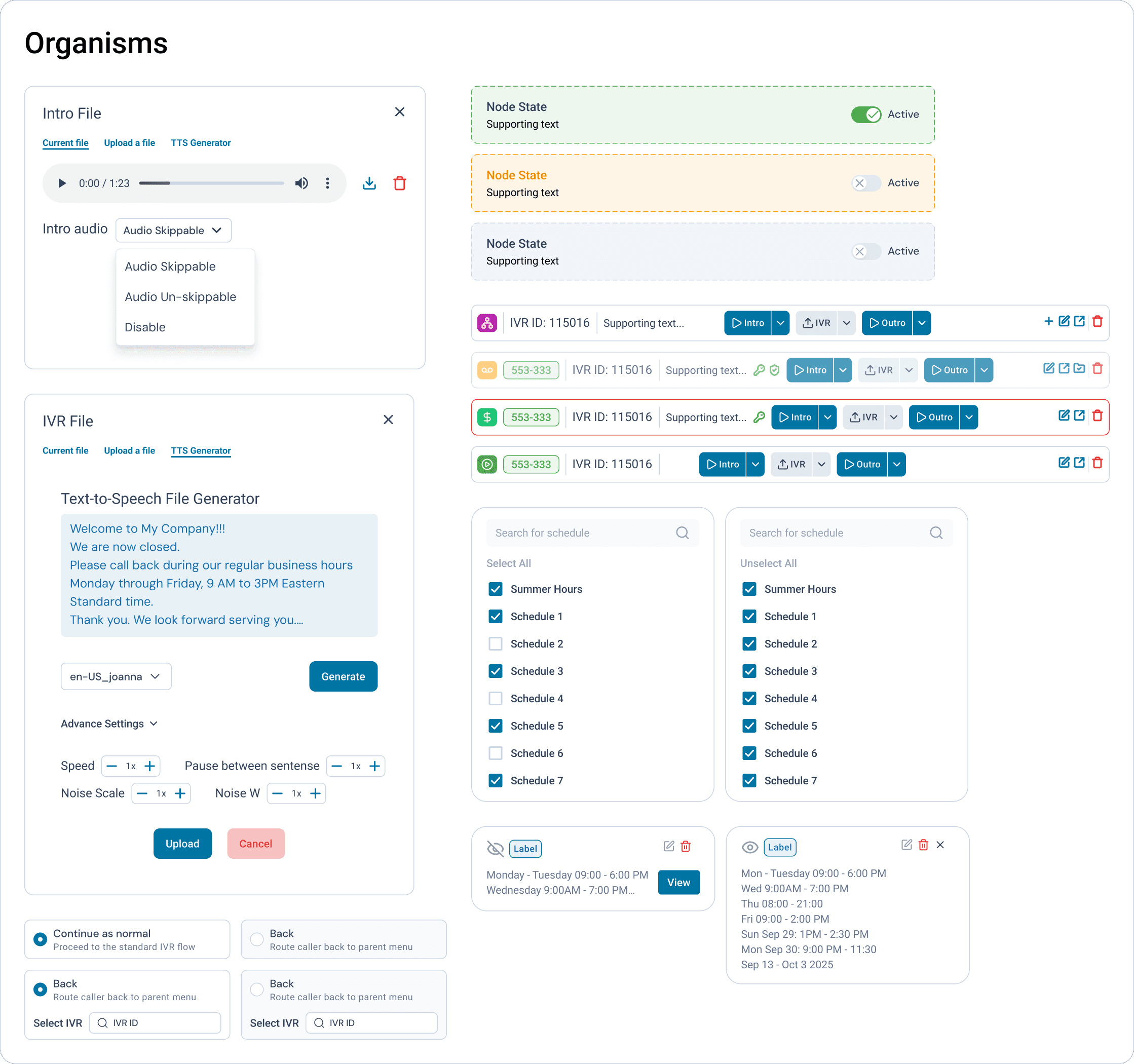
Every button, every badge is built with purpose, not just show.
What we built
80+ reusable atomic components (Buttons, Badges, Inputs, Tags, Modals, etc.)
Nested variants for edge cases and state management
WCAG-compliant color tokens and accessible text sizing
Design philosophy
Components were designed for consistency, making them easy to scan, recognize, and reuse across the system.
Every element was built to be accessible by default, meeting WCAG standards and ensuring clear visibility and touch-friendly interactions.
The system was made scalable from the start, allowing future designers and developers to easily extend and maintain it.
Prototype
Each round of feedback made the system smarter, faster, and easier to build with.

Impact we saw right away
30–40% faster dev cycles
Fewer questions and smoother handoff during QA
SUS score improved by 38%
Task success rate increased by 30%
“This is the first time design has made implementation easier, not harder.”
— Developer, Remofirst
What’s Next?
The Design system is still work in progress. It’s growing with the team, just like I am.
With the new components that were implemented, I began to ask: has it improved the overall product?
My dev team shared valuable insights into what was working — smoother handoff, less back-and-forth, and consistent component logic — and where the system still needed refinement, especially in edge-case documentation and framework-specific guidance.
What changed
From design chaos to a shared system
From scattered code to modular components
From designer-to-dev friction to collaborative flow
What’s next?
Expand documentation for Bootstrap and Nuxt compatibility
Create a live-coded component library linked to design tokens
Gather feedback from future designers to improve onboarding
What did I learn from this work?
As the system evolves, I’m focused on creating standardized assets that can be reused across different frameworks. I want to document how each component behaves in Vue.js, Nuxt.js, and beyond. I plan to collect feedback from designers and developers alike to ensure the system stays useful, intuitive, and scalable. Over time, I hope to measure its real impact on team velocity, consistency, and overall product quality.
Design systems aren’t just tools — they’re bridges. They connect people, streamline communication, and help teams build with confidence and clarity.
Thank you :)
Disclaimer:
To respect NDA terms and protect brand confidentiality, some visual assets in this case study have been intentionally altered or simplified. The designs showcased are representative of the work and process, but do not reflect the exact production environment of the platform.